Page 13


|
|||||||||||||
| Vinci Magazine Cover |
Page 13 |
||||||||||||
| Image copyright blur studio. Process copyright Charles H. Wojtkiewicz | |||||||||||||
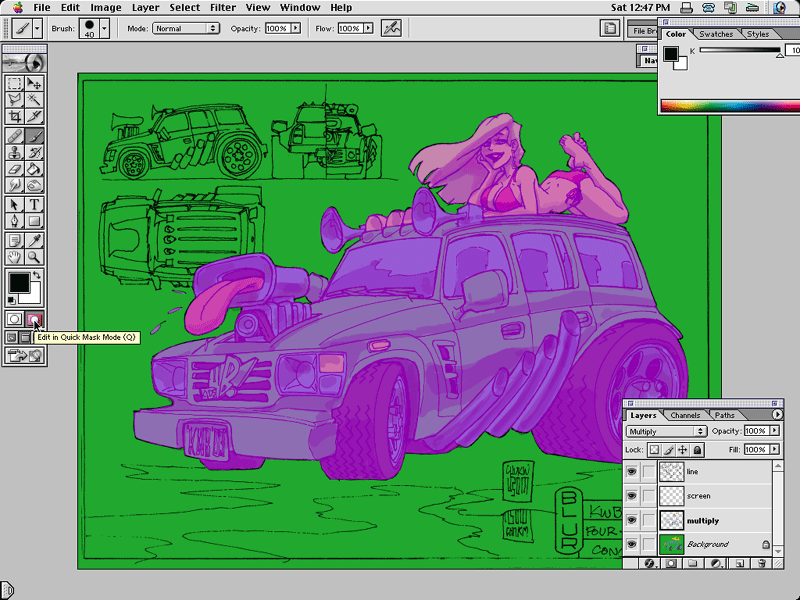
| This step will be a big help in keeping the image clean, and allowing us to easily work up the background later. Listen up! Turn off the Lineart Layer. Go to Select/Color Range, set the fuzziness to 0 and pick that green background color. Now hit Q to enter Quickmask. I've set mine to give this obnoxius pinky-purple color. | Click you Lineart Layer back on. Using a 100% opacity brush, fill in the car and girl. Stay in the lines, children! Hitting Q again will take you out of Quickmask. Go back in if the mask (the selected ares) isn't perfect. Finally, go to Select/Save Selection- we'll be using this mask from here on out. Yowza! | Hmmm... about 45 minutes in - not bad! | |
|
|
|
|||||||
| Previous | Next | How-To | Home | ||||||||||